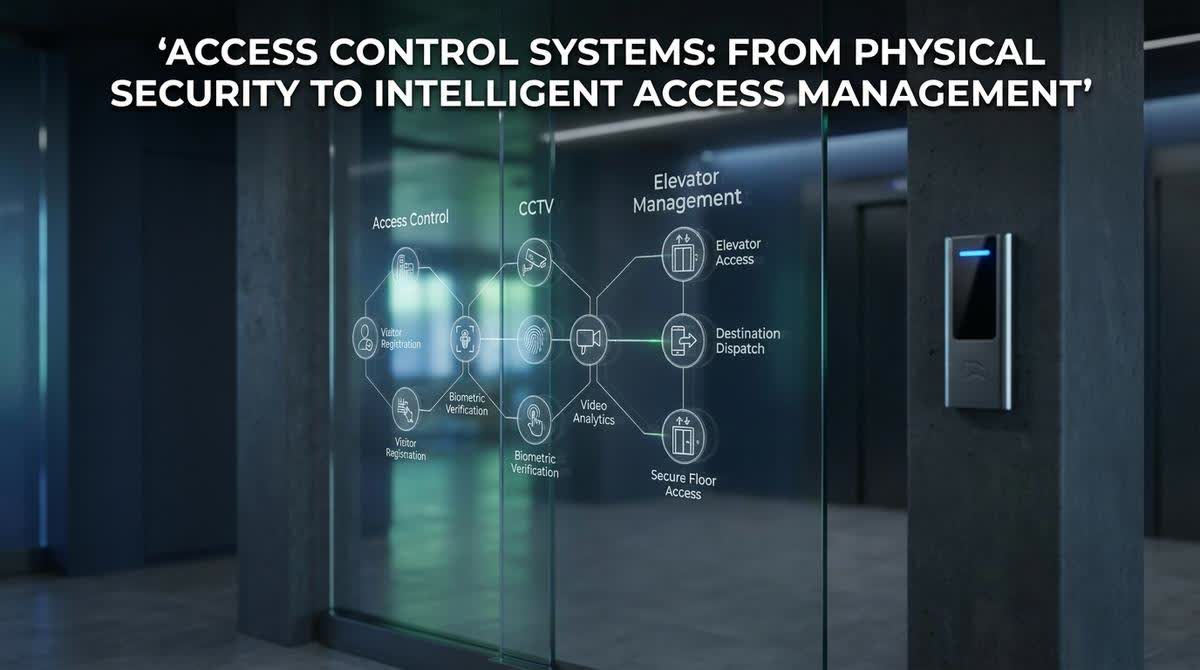
Access Control Systems: From Physical Security to Intelligent Access Management
Access control systems have evolved dramatically from simple mechanical locks.
Today's systems provide sophisticated management of who enters, when, and where.
They integrate with other building systems to create comprehensive security environments.
This guide provides a complete overview of modern access control systems.
It covers everything from basic components through advanced integration and management.
Understanding these systems is essential for effective security planning.
The Strategic Value of Access Control Systems
Access control systems provide far more than simple entry management.
They are strategic tools that support security, operations, and business objectives.
Security Enhancement
Access control systems provide comprehensive security management.
They ensure that only authorized individuals enter protected areas.
They create audit trails of all access activity.
Operational Efficiency
Access control systems automate access management.
They eliminate the need for physical keys and manual tracking.
They integrate with other systems for operational efficiency.
Risk Management
Access control systems reduce security risks.
They provide documentation of access for investigations.
They support compliance with security requirements.
Cost Reduction
Access control systems reduce long-term security costs.
They eliminate key management and replacement costs.
They improve staff productivity through automation.
Modern Access Control System Architecture
System Components
Modern access control systems consist of integrated components.
Each component plays a critical role in system operation.
Readers
Readers capture access credentials from users.
They transmit credential data to control panels.
Different reader types support different credential technologies.
Credentials
Credentials are the keys to the access control system.
They identify users to the system.
Different credential types support different security levels.
Control Panels
Control panels process access requests.
They validate credentials against permissions.
They control door locks and other devices.
Locks and Latching
Locks secure doors when closed.
They release when access is granted.
Different lock types support different applications.
Management Software
Management software provides system administration.
It manages users, credentials, and permissions.
It provides reporting and monitoring capabilities.
Integration Interfaces
Integration interfaces connect to other systems.
They enable coordinated security responses.
They support comprehensive security management.
Credential Technologies
Magnetic Stripe Cards
Magnetic stripe cards are the traditional access credential.
They are inexpensive but less secure.
They are susceptible to wear and duplication.
Proximity Cards
Proximity cards use radio frequency identification (RFID).
They are more durable and secure than magnetic stripe.
They are the most common access credential today.
Smart Cards
Smart cards contain embedded microprocessors.
They provide more security features and capabilities.
They can support multiple applications on one card.
Biometric Readers
Biometric readers use unique biological characteristics.
They provide the highest level of security.
They eliminate credential sharing and loss.
Mobile Credentials
Mobile credentials use smartphones for access.
They provide convenience and flexibility.
They are increasingly common in modern systems.
Optical and Other Credentials
Optical credentials use light-based technology.
Various other credential types are available.
The best choice depends on application requirements.
Lock Types
Magnetic Locks
Magnetic locks use powerful electromagnets to secure doors.
They are fail-safe, releasing when power is removed.
They are suitable for high-traffic areas and emergency exits.
Electric Strikes
Electric strikes are installed in door frames.
They release when access is granted.
They work with standard door hardware.
Electric Locks
Electric locks are installed in the door.
They can be fail-safe or fail-secure.
They provide more security for high-risk areas.
Smart Locks
Smart locks are intelligent electronic locks.
They can be controlled remotely.
They provide audit trails and other features.
Wireless Locks
Wireless locks operate without physical connections.
They are easy to install in existing buildings.
They provide flexibility for changing requirements.
Reader Technologies
RFID Readers
RFID readers detect proximity cards and credentials.
They are the most common reader type.
They are available in various ranges and configurations.
Biometric Readers
Biometric readers verify identity through physical characteristics.
They provide the highest level of security.
They require proper environmental conditions.
Keypad Readers
Keypad readers require users to enter a PIN code.
They are used with or without other credentials.
They provide simple access management.
Smart Card Readers
Smart card readers interface with microprocessor cards.
They provide more security and capabilities.
They are used in high-security applications.
Design Principles
Security Requirements Assessment
Begin by understanding security needs and risks.
Identify areas requiring different security levels.
Define the access policy for each area.
Risk Assessment
Evaluate security risks for each area.
Identify assets requiring protection.
Determine appropriate security measures.
Access Policy Definition
Define who should have access to each area.
Define when access should be permitted.
Define how access should be managed.
System Configuration
Single Door Control
Single door control is the simplest system configuration.
One reader controls one door.
This is suitable for small installations.
Multi-Door Control
Multi-door control manages several doors from one panel.
Panels can be expanded for more doors.
This is efficient for medium installations.
Distributed Control
Distributed control places controllers at door locations.
This provides flexibility for large installations.
Controllers communicate with central management.
Centralized Control
Centralized control manages all doors from one panel.
This provides simple management for small installations.
Expansion is limited by panel capacity.
User Management
User Administration
Manage user profiles and permissions centrally.
Assign appropriate access levels to each user.
Maintain user documentation.
Group Management
Create groups for efficient access management.
Assign access rights at the group level.
Manage groups for organizational changes.
Scheduling
Implement time-based access restrictions.
Limit access to specific times and days.
Support special event and exception handling.
Visitor Management
Provide temporary access for visitors.
Manage visitor registration and credentials.
Monitor visitor activity.
System Security
Credential Security
Protect credentials from duplication.
Implement secure credential management.
Plan for credential loss and replacement.
Communication Security
Secure communication between system components.
Use encryption where appropriate.
Protect data from interception.
Physical Security
Secure control panels and system components.
Protect against unauthorized physical access.
Ensure system integrity.
Software Security
Protect management software from unauthorized access.
Implement strong authentication and access controls.
Maintain software updates and security patches.
Access Control System Implementation
Installation Preparation
Site Survey
Conduct a thorough site survey.
Identify door locations and characteristics.
Plan cable pathways and equipment locations.
Cable Planning
Plan cable routing for reliable operation.
Use appropriate cable types and categories.
Maintain proper cable management.
Power Planning
Plan power requirements for all components.
Provide adequate power for door locks and readers.
Consider backup power requirements.
Installation Process
First Fix (Conduit and Cabling)
Install conduits and cable trays.
Run cables to all device locations.
Maintain cable separation and protection.
Second Fix (Cable Pulling)
Pull cables to final termination points.
Maintain proper cable management.
Label cables clearly.
Third Fix (Device Installation)
Install readers, locks, and other devices.
Mount control panels in designated locations.
Terminate cables at devices.
Fourth Fix (Testing and Commissioning)
Test all system components and functions.
Verify system operation.
Document test results.
System Configuration
Software Installation
Install management software on designated servers.
Configure software for site requirements.
Set up user accounts and permissions.
Hardware Configuration
Configure control panels for the installation.
Set up readers and other devices.
Verify proper operation.
Database Setup
Create the system database.
Add users and access permissions.
Configure schedules and exceptions.
Testing
Test all system functions.
Verify user access and permissions.
Test integration with other systems.
User Training
Administrator Training
Train system administrators on management functions.
Cover user administration and troubleshooting.
Provide reference materials.
User Training
Train users on system operation.
Cover credential use and access procedures.
Address common issues and questions.
Documentation
Provide complete documentation.
Include system configuration and procedures.
Maintain documentation for future reference.
Integration with Other Systems
CCTV Integration
Access control and CCTV integration provides comprehensive security.
Video verification confirms access events.
Security personnel can view who is accessing doors.
Cause:Â Access granted or denied at a door.
Effect:Â Record video of the access event.
System:Â CCTV System.
Fire Alarm Integration
Fire alarm integration is essential for life safety.
When fire is detected, all doors must unlock for evacuation.
This integration is required by code.
Cause:Â Fire alarm activation.
Effect:Â Release all doors for free egress.
System:Â Fire Alarm System (FAS).
Intrusion Detection Integration
Access control and intrusion detection work together for security.
Intrusion detection alerts can trigger lock-down responses.
Access control can manage entry and exit during security events.
Cause:Â Intrusion detection event.
Effect:Â Lock down affected areas.
System:Â Intrusion Detection System (IDS).
BMS Integration
Access control provides valuable data to BMS.
Occupancy information can optimize HVAC and lighting.
Door status information supports facility management.
Cause:Â User access event.
Effect:Â Adjust lighting and HVAC settings.
System:Â Building Management System (BMS).
HR and Visitor Management Integration
Access control integrates with HR and visitor management systems.
Employee data synchronizes automatically.
Visitor records are managed centrally.
Cause:Â Employee status change or visitor registration.
Effect:Â Update access permissions.
System:Â HR System or Visitor Management System.
Testing and Commissioning
Device Testing
Reader Testing
Test each reader for proper operation.
Verify credential reading and validation.
Test under various conditions.
Lock Testing
Test each lock for proper operation.
Verify lock release and secure functions.
Test under various conditions.
Panel Testing
Test each panel for proper operation.
Verify communication and processing.
Test backup power and failover.
System Testing
Function Testing
Test all system functions.
Verify user administration and permissions.
Test reporting and monitoring.
Integration Testing
Test integration with other systems.
Verify cause-and-effect relationships.
Test under various scenarios.
Performance Testing
Test system performance under load.
Verify response times and reliability.
Test during peak usage conditions.
Acceptance Testing
Factory Acceptance Testing (FAT)
Conduct FAT before site installation.
Verify system functionality and performance.
Document test results.
Site Acceptance Testing (SAT)
Conduct SAT after installation on site.
Verify system operation in actual conditions.
Document test results.
User Acceptance Testing (UAT)
Conduct UAT with actual users.
Verify system meets operational requirements.
Address any issues.
Operation and Management
Ongoing Management
User Administration
Manage user access rights continuously.
Add and remove users as needed.
Maintain accurate user documentation.
Permission Reviews
Review access permissions periodically.
Remove unnecessary permissions.
Update permissions for changing roles.
System Monitoring
Monitor system operation continuously.
Check for issues and anomalies.
Take action on system alerts.
Audit and Reporting
Generate regular audit reports.
Review access patterns and anomalies.
Use data for continuous improvement.
Maintenance
Preventive Maintenance
Follow manufacturer maintenance recommendations.
Test system components regularly.
Maintain maintenance records.
Corrective Maintenance
Address system issues promptly.
Repair or replace failed components.
Document repair activities.
System Updates
Keep system software current.
Apply security patches and updates.
Test updates before deployment.
Troubleshooting
Common Issues
Learn to identify common system issues.
Use system logs to diagnose problems.
Apply appropriate solutions.
Problem Resolution
Resolve issues systematically.
Document problems and solutions.
Apply lessons learned.
Support Procedures
Establish support procedures.
Provide contact information for support.
Escalate issues when necessary.
Common Challenges and Solutions
Challenge 1: Credential Management
Managing credentials for large populations is challenging.
Solution:Â Implement automated credential management.
Use self-service portals where appropriate.
Maintain accurate records.
Challenge 2: System Integration
Integrating with other systems can be complex.
Solution:Â Specify integration requirements clearly.
Test integration thoroughly.
Document integration configuration.
Challenge 3: System Scalability
Systems must scale as buildings grow.
Solution:Â Plan for expansion in system design.
Choose scalable systems and components.
Plan upgrade paths.
Challenge 4: System Security
Access control systems themselves must be secure.
Solution:Â Protect system components physically and logically.
Implement strong authentication and access controls.
Maintain security measures.
Challenge 5: User Resistance
Users may resist new systems and procedures.
Solution:Â Provide comprehensive training and communication.
Address user concerns and questions.
Demonstrate system benefits.
The AllandMuchMore Approach
At AllandMuchMore, we bring comprehensive expertise to access control system design and implementation.
Our approach combines security excellence with operational understanding.
Strategic Planning
We understand your security requirements and operational needs.
We design systems that meet your specific requirements.
Our designs are scalable and future-proof.
Quality Implementation
Our experienced teams follow best practices for installation.
We test systems thoroughly.
Our documentation is complete and accurate.
Integration Capability
We understand integration with other building systems.
We design for effective integration.
Our integration approach ensures reliable operation.
Ongoing Support
We provide comprehensive training and support.
Our maintenance services ensure continued reliability.
We support system evolution and upgrades.
In the End :
Access control systems are essential components of modern security infrastructure.
They provide far more than simple entry management.
They are strategic tools for security, operations, and business success.
Modern access control systems integrate with other building systems.
They support comprehensive security management.
They provide valuable data for operations and decision-making.
At AllandMuchMore, we have the expertise to help you implement effective access control systems.
Our comprehensive approach covers everything from planning through operation and optimization.
When you work with us, you're investing in security that delivers measurable value.