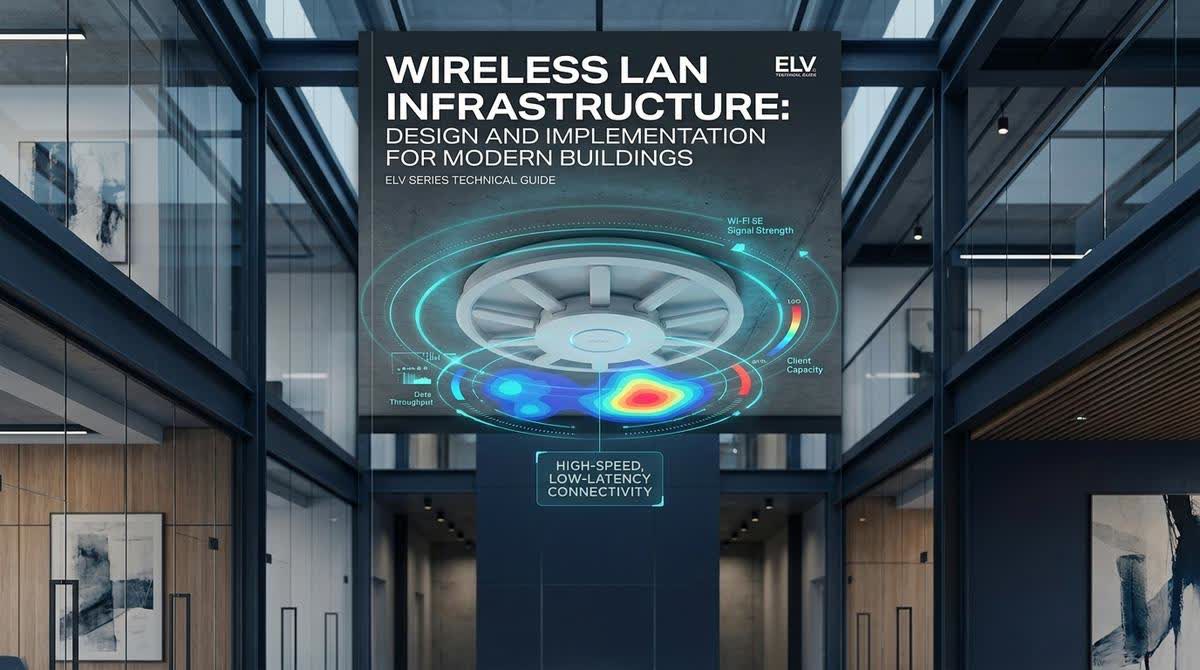
Wireless LAN Infrastructure: Design and Implementation for Modern Buildings
Wireless LAN has become essential infrastructure for modern buildings.
It provides connectivity for mobile devices and IoT sensors.
It supports productivity and business operations.
This guide covers WLAN design and implementation comprehensively.
It addresses the technical and practical considerations for reliable wireless connectivity.
Understanding these considerations is essential for effective building design.
The Strategic Importance of WLAN
WLAN is no longer a convenience, it's a business necessity.
Without reliable wireless connectivity, operations suffer.
Building owners must invest in quality WLAN infrastructure.
User Productivity
Wireless connectivity enables mobile work.
Users expect seamless connectivity everywhere.
Productivity depends on reliable wireless access.
IoT and Building Automation
Building automation increasingly relies on wireless.
Sensors and controllers communicate wirelessly.
WLAN supports building intelligence.
Guest and Visitor Experience
Visitors expect wireless connectivity.
Guest access supports positive experience.
WLAN is part of the building's offering.
Operational Efficiency
Wireless connectivity supports operations.
Mobile applications improve efficiency.
Inventory management and logistics rely on wireless.
Modern WLAN Architecture
System Components
Access Points
Access points provide wireless connectivity.
They connect devices to the network.
Proper placement and configuration are essential.
Controllers
Controllers manage access points centrally.
They provide configuration and monitoring.
Controllers enable seamless roaming.
Network Infrastructure
Network infrastructure connects access points.
Structured cabling provides physical connectivity.
Power over Ethernet supports access point operation.
Management Software
Management software provides system administration.
It monitors system performance.
It enables configuration and troubleshooting.
Wireless Standards
Wi-Fi Standards Evolution
Wi-Fi technology continues to evolve.
New standards provide higher performance.
Planning for current and future standards is essential.
802.11ax (Wi-Fi 6)
Wi-Fi 6 provides significant improvements over previous standards.
It supports more devices and higher throughput.
Wi-Fi 6 is the current standard for new installations.
Wi-Fi 6E
Wi-Fi 6E adds the 6 GHz band for more capacity.
It provides additional channels for high-demand environments.
Wi-Fi 6E is ideal for dense, high-performance installations.
Future Standards
Wi-Fi standards continue to evolve.
Planning for future standards protects investment.
Infrastructure should support future upgrades.
Capacity Planning
User Density
Consider the number of wireless devices expected.
Higher user density requires more access points.
Plan for the maximum expected user count.
**Bandwidth Requirements
Consider the bandwidth needs of applications.
High-bandwidth applications require more capacity.
Video and voice have specific requirements.
**Performance Requirements
Define performance expectations.
Consider speed, latency, and reliability.
Design to meet performance objectives.
**Growth Planning
Plan for future growth in users and applications.
Allow capacity for increased usage.
Consider technology evolution.
Design Principles
Coverage Planning
Coverage Requirements
Define coverage requirements for the building.
Identify areas requiring wireless coverage.
Consider coverage quality expectations.
Signal Propagation
Understand signal propagation characteristics.
Walls and structures affect signal strength.
Plan access point placement accordingly.
Coverage Mapping
Map expected coverage for the design.
Identify potential coverage gaps.
Adjust placement to optimize coverage.
Overlap Planning
Plan for appropriate access point overlap.
Overlap supports roaming and reliability.
Too much overlap causes interference.
Site Survey
Pre-Design Survey
Conduct a pre-design site survey.
Understand building characteristics.
Identify potential challenges.
Design Survey
Use survey results for access point placement.
Verify coverage expectations.
Adjust design as needed.
Post-Installation Survey
Conduct a post-installation verification survey.
Confirm coverage meets design expectations.
Adjust as needed for optimal performance.
Channel Planning
Channel Selection
Select appropriate channels for the environment.
Consider available channels and interference.
Plan for non-overlapping channel use.
Interference Management
Identify and manage sources of interference.
Other wireless networks and devices can cause issues.
Plan for interference mitigation.
DFS Channels
Use DFS channels where appropriate.
DFS channels provide additional capacity.
DFS requires proper implementation.
Security Design
Authentication
Implement strong authentication for network access.
Use secure authentication methods.
Protect network access.
Encryption
Encrypt wireless communications.
Use WPA3 or appropriate security protocols.
Protect data confidentiality.
Network Segmentation
Segment wireless networks for security.
Separate guest and corporate networks.
Implement appropriate access controls.
Guest Access
Provide secure guest access.
Implement guest management and portal.
Control guest access appropriately.
Implementation Process
Installation Preparation
Access Point Mounting
Plan access point mounting locations.
Consider ceiling height and structure.
Plan for proper mounting hardware.
Cable Routing
Plan cable routes to access points.
Use appropriate cable types.
Maintain cable management.
Power Requirements
Provide Power over Ethernet for access points.
Verify PoE power budget.
Plan for adequate power.
Environment Considerations
Consider environmental factors.
Temperature and humidity affect equipment.
Provide appropriate environmental conditions.
Installation
Access Point Installation
Mount access points at planned locations.
Connect cables and test power.
Verify proper operation.
Controller Installation
Install controllers as planned.
Connect to network infrastructure.
Configure controller settings.
Network Configuration
Configure network for WLAN operation.
Set up VLANs and routing.
Verify network connectivity.
**System Configuration
Configure WLAN parameters.
Set up SSIDs and security.
Configure quality of service.
Configuration and Tuning
Radio Configuration
Configure radio parameters.
Set appropriate power levels.
Select appropriate channels.
Security Configuration
Configure security protocols.
Set up authentication.
Configure encryption.
Management Configuration
Configure management interfaces.
Set up monitoring and alerts.
Configure reporting.
Performance Tuning
Optimize system for performance.
Adjust parameters as needed.
Verify performance objectives.
Testing and Commissioning
Coverage Testing
Signal Strength Testing
Measure signal strength throughout the building.
Verify coverage meets requirements.
Identify any coverage gaps.
Throughput Testing
Measure network throughput.
Verify performance meets requirements.
Identify any performance issues.
Roaming Testing
Test roaming between access points.
Verify seamless connectivity.
Identify any roaming issues.
Performance Testing
Capacity Testing
Test capacity under expected load.
Verify performance at peak usage.
Identify any capacity issues.
Latency Testing
Test latency for critical applications.
Verify latency meets requirements.
Identify any latency issues.
**Reliability Testing
Test system reliability.
Verify uptime and stability.
Identify any reliability issues.
Acceptance Testing
Factory Acceptance Testing
Conduct FAT before deployment.
Verify system functionality.
Document test results.
Site Acceptance Testing
Conduct SAT after installation.
Verify system performance.
Document test results.
User Acceptance Testing
Conduct UAT with users.
Verify system meets operational needs.
Address any issues.
Security Testing
Vulnerability Testing
Test for security vulnerabilities.
Identify potential security issues.
Address vulnerabilities.
Penetration Testing
Conduct penetration testing if appropriate.
Verify security controls.
Address any findings.
Compliance Verification
Verify compliance with security requirements.
Document compliance.
Address any compliance issues.
Integration with Other Systems
Building Management Integration
WLAN supports building automation and management.
Building systems can use wireless connectivity.
WLAN is infrastructure for building intelligence.
Cause:Â Building system requirements.
Effect:Â WLAN provides connectivity.
System:Â Building Management System (BMS).
Security Integration
WLAN supports security systems.
Wireless cameras can use WLAN infrastructure.
Access control can use wireless connectivity.
Cause:Â Security system requirements.
Effect:Â WLAN provides security connectivity.
System:Â Security Systems.
IoT Integration
WLAN supports IoT device connectivity.
Sensors and controllers use WLAN.
WLAN enables building intelligence.
Cause:Â IoT device requirements.
Effect:Â WLAN provides IoT connectivity.
System:Â IoT and Sensor Systems.
Guest Services
WLAN supports guest connectivity.
Guest access and portal services use WLAN.
WLAN enhances guest experience.
Cause:Â Guest connectivity requirements.
Effect:Â WLAN provides guest access.
System:Â Guest Management.
Operation and Maintenance
Ongoing Operations
Performance Monitoring
Monitor WLAN performance continuously.
Track user experience and quality.
Identify issues proactively.
Security Monitoring
Monitor for security threats.
Check for unauthorized access.
Maintain security posture.
Capacity Management
Manage capacity for growing usage.
Monitor capacity utilization.
Plan for capacity increases.
Maintenance
Preventive Maintenance
Follow manufacturer maintenance recommendations.
Perform regular system checks.
Maintain maintenance records.
Firmware Updates
Keep equipment firmware current.
Apply security patches.
Test updates before deployment.
Hardware Maintenance
Address hardware issues promptly.
Replace failed equipment.
Maintain spare equipment.
Troubleshooting
Common Issues
Learn to identify common WLAN issues.
Use system monitoring for diagnosis.
Apply appropriate solutions.
Problem Resolution
Resolve issues systematically.
Document problems and solutions.
Apply lessons learned.
Support Procedures
Establish support procedures.
Provide contact information.
Escalate issues when necessary.
Common Challenges and Solutions
Challenge 1: Coverage Gaps
Some areas may have insufficient coverage.
Solution:Â Add or reposition access points.
Adjust power levels for better coverage.
Use additional access points for problem areas.
Challenge 2: Interference
Other wireless sources can cause interference.
Solution:Â Identify and mitigate interference.
Use appropriate channels.
Consider shielded environments.
Challenge 3: Capacity Limitations
Network may not support user demand.
Solution:Â Increase system capacity.
Add more access points.
Upgrade to higher-performance equipment.
Challenge 4: Security Vulnerabilities
Wireless networks are vulnerable to attack.
Solution:Â Implement strong security protocols.
Maintain security updates.
Monitor for security threats.
Challenge 5: User Experience Issues
Users may experience performance problems.
Solution:Â Optimize system for user experience.
Address performance bottlenecks.
Provide user support.
The AllandMuchMore Approach
At AllandMuchMore, we bring comprehensive expertise to WLAN design and implementation.
Our approach combines technical excellence with user experience focus.
Design Excellence
We design WLAN systems for reliable performance.
Our designs are scalable and future-proof.
We consider current and future requirements.
Quality Implementation
Our experienced teams follow best practices for installation.
We test systems thoroughly.
Our documentation is complete and accurate.
Integration Capability
We understand integration with other building systems.
We design for effective integration.
Our integration approach ensures reliable operation.
Ongoing Support
We provide comprehensive training and support.
Our maintenance services ensure continued reliability.
We support system evolution and upgrades.
In the End :
Wireless LAN is essential infrastructure for modern buildings.
It supports user connectivity and building intelligence.
Proper design and implementation ensure reliable performance.
Modern WLAN systems integrate with other building systems.
They support the connected building of the future.
When properly designed, they deliver lasting value.
At AllandMuchMore, we have the expertise to help you implement effective WLAN infrastructure.
Our comprehensive approach covers everything from planning through operation.
When you work with us, you're investing in connectivity that supports your business.